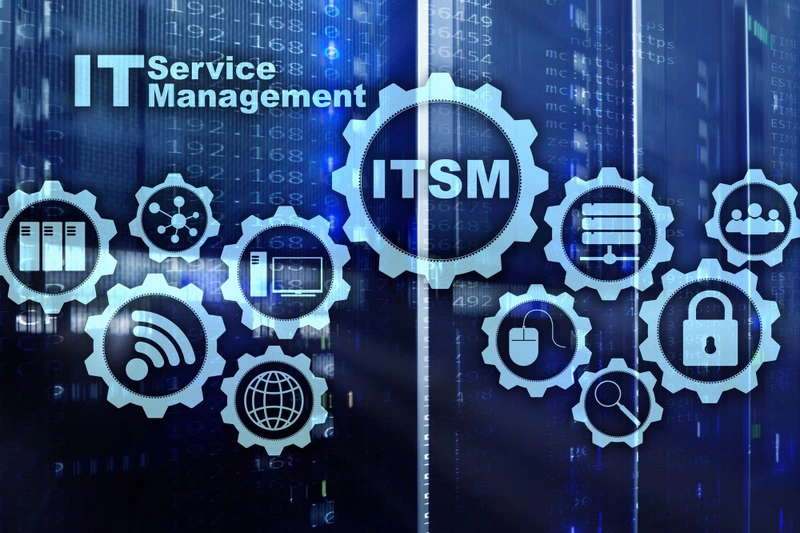



IT teams manage incidents, requests, changes, assets, service commitments, and user communication every day. When these activities run through disconnected inboxes, spreadsheets, and chat messages, teams lose ownership, history, and service data. An ITSM system brings these workflows into one platform.
Let’s find out how an ITSM ticketing system works, the features modern platforms include, common use cases, implementation practices, AI capabilities, and the metrics used to measure service performance.
What Is an ITSM System?
Understanding IT Service Management
IT service management covers the processes, people, policies, and tools used to design, deliver, support, and improve IT services. It treats IT work as a set of services that support employees, customers, and business operations.
What Makes an ITSM System Different?
An ITSM system manages more than ticket intake. It connects incidents, requests, problems, changes, service levels, knowledge, configuration data, assets, approvals, and reporting. This connected model gives teams a clearer view of service impact and ownership.
Why Businesses Need an ITSM System
As ticket volume and service complexity grow, informal workflows become harder to control. An ITSM platform gives teams standard processes, automation, queues, escalation rules, service targets, and a shared record of user interactions.
How an ITSM Ticketing System Works
Ticket Creation
A ticket enters the system through a portal, email, chat, phone, monitoring alert, API, or service catalog request. The record captures the requester, issue, service, urgency, impact, attachments, and related asset data.
Ticket Assignment
Rules route the ticket by category, service, location, priority, skill, workload, or support group. AI-based classification can support assignment when request details are incomplete.
Workflow Automation
ITSM automation can send acknowledgments, request approvals, assign tasks, trigger escalations, update fields, notify stakeholders, and call connected applications.
Resolution and Closure
Agents diagnose the issue, use knowledge articles, complete tasks, document the resolution, and confirm service restoration or request completion before closure.
Reporting and Continuous Improvement
The platform records response times, resolution times, SLA status, reopen rates, backlog, satisfaction, and recurring issues. Teams use this data to improve workflows and service design.
Types of ITSM Systems
Cloud-Based ITSM Systems
Cloud ITSM platforms are hosted by the vendor and accessed through a browser or mobile application. They support remote access, subscription pricing, and centralized product updates.
On-Premise ITSM Systems
On-premise platforms run within the organization’s infrastructure. They suit teams that require internal hosting, local control, or deeper alignment with existing data center policies.
Enterprise ITSM Platforms
Enterprise systems support several business units, service desks, regions, languages, approval models, and integration requirements.
AI-Powered ITSM Systems
AI-based ITSM platforms classify tickets, recommend knowledge, summarize interactions, detect patterns, route work, and support virtual agents.
Industry-Specific ITSM Solutions
Some systems include workflows, controls, templates, and reporting aligned with sectors such as healthcare, finance, government, education, manufacturing, or managed services.
Key Features of an ITSM Ticketing System
Incident Management
It logs, categorizes, prioritizes, assigns, escalates, and resolves service interruptions.
Service Request Management
It manages routine requests through forms, approvals, tasks, status updates, and fulfillment workflows.
Problem Management
It investigates recurring incidents, records known errors, documents workarounds, and coordinates root-cause removal.
Change Enablement
It assesses change risk, impact, approvals, schedules, dependencies, implementation tasks, and post-change review.
Service Catalog
It presents available services and request options through clear forms, eligibility rules, approvals, and fulfillment targets.
Workflow Automation
It runs rule-based actions across ticket intake, approvals, assignments, notifications, escalations, and connected systems.
Self-Service Portal
It gives users one place to search knowledge, submit requests, report issues, review status, and approve tasks.
Knowledge Base
It stores solutions, procedures, FAQs, known errors, and service information for agents and end users.
SLA Management
It defines response and resolution commitments, tracks timers, warns of breach risk, and produces service reports.
CMDB Integration
It links tickets and changes with configuration items, relationships, services, owners, and dependencies.
Asset Management
It connects devices, software, contracts, users, locations, lifecycle status, and service records.
Omnichannel Ticketing
It captures requests from email, portal, chat, messaging, phone, monitoring tools, and APIs.
Reporting and Analytics
It provides dashboards for ticket trends, workload, SLA performance, service quality, and improvement priorities.
AI-Powered Ticket Routing
It uses ticket content, history, category, agent skills, and workload to recommend or complete assignment.
Benefits of Using an ITSM System
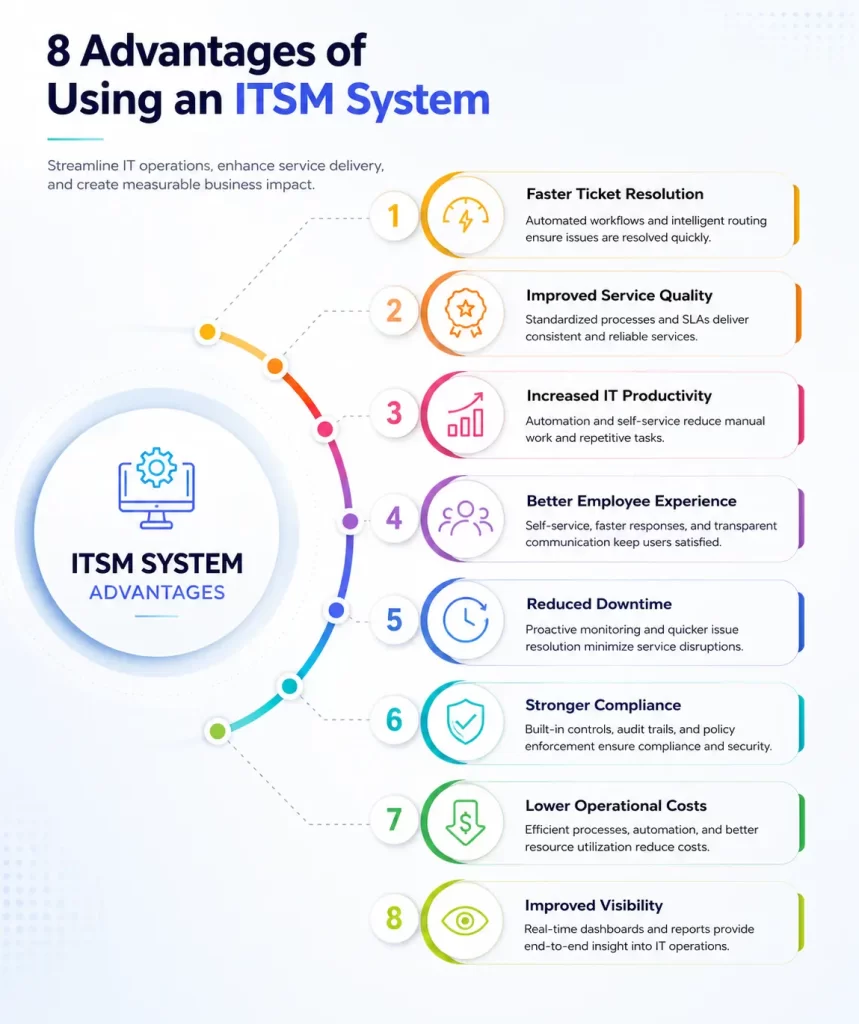
Faster Ticket Resolution
Route work quickly and give agents service, asset, history, and knowledge data in one record.
Improved Service Quality
Use standard workflows, service targets, and reviews across support teams.
Increased IT Productivity
Automate repetitive updates, approvals, assignments, and notifications.
Better Employee Experience
Give users simple request channels, status visibility, and self-service options.
Reduced Downtime
Connect incidents, monitoring data, dependencies, and problem records to speed response.
Stronger Compliance
Maintain approvals, timestamps, ownership, change history, and audit records.
Lower Operational Costs
Reduce manual handling, repeated work, avoidable escalations, and tool duplication.
Improved Visibility
Track workload, service demand, SLA risk, asset impact, and user satisfaction.
Common ITSM Ticketing System Use Cases
IT Help Desk
IT help desk centralizes user issues, access requests, software problems, device support, and service communication.
Incident Management
Incident management coordinates response to service interruptions, assigns ownership, tracks priority, and records recovery actions.
Change Management
Change management controls changes through risk assessment, approvals, scheduling, implementation tasks, and review.
Asset Management
Asset management links tickets with hardware, software, users, locations, warranties, contracts, and lifecycle data.
Employee Onboarding
Employee onboarding coordinates accounts, devices, access, software, workspace tasks, and approvals for new employees.
Service Request Fulfillment
Service request fulfillment handles requests such as software access, equipment, password support, account changes, and information requests.
Enterprise Service Management
Enterprise service management extends service workflows to HR, facilities, finance, legal, procurement, and other internal teams.
ITSM System vs. Traditional IT Help Desk
| Area | ITSM System | Traditional IT Help Desk |
|---|---|---|
| Scope | Incidents, requests, problems, changes, services, assets, knowledge, and SLAs | Mainly user issues and ticket handling |
| Process Model | Standard workflows across several service practices | Basic queue and assignment workflow |
| Service Catalog | Structured services, forms, approvals, and fulfillment | Commonly absent or limited |
| Asset and CMDB Context | Links tickets with assets, services, and dependencies | Asset details may sit in separate tools |
| Automation | Rules across assignment, approvals, escalation, and integrations | Basic notifications and routing |
| Reporting | Service, SLA, workload, trend, and improvement reporting | Ticket counts and basic agent reports |
Key Differences
A help desk focuses on user support and ticket resolution. An ITSM system manages the broader service operating model, including service design, change control, configuration data, assets, commitments, knowledge, and improvement.
Which One Should You Choose?
A basic help desk can suit a small team with simple support requirements. An ITSM platform suits organizations that need standard workflows, service commitments, automation, asset relationships, approvals, and reporting across several teams.
When to Upgrade to an ITSM System
Upgrade when ticket volume becomes hard to control, service ownership remains unclear, change-related outages increase, users lack self-service, or leaders cannot see service performance and risk.
How to Choose the Right ITSM Ticketing Tools
Identify Business Requirements
- Document user groups, service processes, ticket volume, channels, deployment model, reporting needs, and regulatory controls
Evaluate Core Features
- Review incident, request, problem, change, catalog, knowledge, SLA, CMDB, asset, automation, and reporting capabilities
Assess Integration Capabilities
- Confirm support for monitoring, identity, collaboration, endpoint, asset, HR, finance, and business applications
Consider Scalability
- Review multi-department support, user volume, regional deployment, service catalogs, data growth, and administration needs
Review Security and Compliance
- Check access control, audit logs, encryption, data location, retention, authentication, backup, and compliance support
Compare Pricing Models
- Compare agent, user, module, asset, usage, implementation, integration, training, and support charges
Evaluate Vendor Support
- Review onboarding, migration, documentation, support coverage, response targets, training, product releases, and references
Best Practices for Implementing an ITSM System
Define Service Workflows
This maps the current work, ownership, approvals, escalation paths, and service outcomes before configuring the platform.
Build a Service Catalog
This starts with high-volume services and requests. Use clear names, short forms, ownership, approval rules, and fulfillment targets.
Automate Repetitive Tasks
This automates predictable routing, updates, reminders, approvals, notifications, and provisioning steps and keeps exception handling visible.
Configure SLAs
This sets targets by service, priority, user group, and support hours. Use warnings and escalations before a breach occurs.
Enable Self-Service
This gives users searchable knowledge, clear request forms, status updates, and simple support channels.
Train End Users
This trains agents, managers, approvers, administrators, and requesters around their actual workflows.
Measure Performance Regularly
This reviews trends in resolution, backlog, SLA results, satisfaction, reopen rates, and service demand.
Common Challenges and Solutions
Low User Adoption
It reduces form complexity, improves catalog wording, trains users, and makes self-service faster than informal channels.
Manual Processes
It identifies repeated actions and converts them into rules, templates, approvals, integrations, or orchestration.
Poor Ticket Prioritization
It uses impact and urgency criteria, service importance, affected users, and clear priority definitions.
Incomplete Asset Data
It connects discovery and asset systems, defines record ownership, validates relationships, and reviews stale data.
Integration Challenges
It sets data ownership, maps the fields, tests error handling, monitors failed transactions, and phases integrations by business value.
AI in Modern ITSM Systems
AI Ticket Classification
AI-based ITSM software can read ticket text and recommend categories, services, priorities, and assignment groups.
Intelligent Routing
Routing models can use skills, workload, service history, location, and issue type to select an agent or team.
Virtual Service Agents
Virtual agents can answer common questions, collect ticket details, run guided workflows, and initiate requests.
Predictive Incident Detection
AI and operations data can identify unusual patterns and warn teams before service impact grows.
Automated Knowledge Suggestions
AI can recommend articles during ticket submission and agent work, helping users and technicians find relevant guidance sooner.
Measuring ITSM Success
Mean Time to Resolution (MTTR)
- Measures the average time between ticket creation and resolution
First Contact Resolution (FCR)
- Measures the share of issues resolved during the first support interaction
SLA Compliance
- Tracks the percentage of tickets completed within agreed service targets
Customer Satisfaction (CSAT)
- Captures user ratings and feedback after a support interaction or request
Ticket Backlog
- Shows unresolved work by age, priority, service, team, or assignment group
Service Availability
- Measures how often a service remains accessible and operational during the agreed service period
Future Trends in ITSM Systems
Hyperautomation
ITSM platforms will combine workflow automation, orchestration, AI, process mining, and integrations across more service activities.
AI-Driven Service Management
AI will take a larger role in intake, classification, knowledge, summaries, predictions, agent support, and service analysis.
Enterprise Service Management (ESM)
More organizations will use service management methods across HR, facilities, finance, legal, and operations.
Low-Code Automation
Low-code tools will help service teams build forms, workflows, integrations, and applications with less custom development.
Predictive Analytics
Predictive models will identify demand changes, breach risk, recurring incidents, workload pressure, and service degradation earlier.
Frequently Asked Questions
What is an ITSM system?
An ITSM system is a platform used to manage IT services, incidents, requests, problems, changes, knowledge, service levels, assets, and reporting.
What is an ITSM ticketing system?
It is the ticket management component of an ITSM platform, used to capture, route, track, resolve, and report service work.
How does an IT ticketing system work?
Tickets enter through user channels or connected tools, then move through classification, assignment, workflow, resolution, closure, and reporting.
What are the key features of an ITSM system?
Core features include incident, request, problem, change, catalog, workflow, portal, knowledge, SLA, CMDB, asset, omnichannel, analytics, and AI routing.
What is the difference between an IT help desk and an ITSM system?
A help desk focuses on support tickets. An ITSM system manages the broader service model, including changes, assets, service commitments, knowledge, and improvement.
How do I choose the best ITSM ticketing tools?
Compare business requirements, features, integrations, scaling, security, pricing, deployment, administration, and vendor support.
What are the benefits of implementing an ITSM system?
It can reduce resolution time, improve service quality, increase staff productivity, strengthen compliance, reduce downtime, and improve service visibility.
Can an ITSM system integrate with asset management software?
Yes. Many ITSM platforms connect tickets and changes with asset records, users, locations, warranties, contracts, discovery data, and lifecycle status.