


What Are IT Operations Management Tools?
IT Operations Management tools support day-to-day oversight of infrastructure, applications, networks, and the services that depend on them. These platforms focus on visibility, issue detection, and response workflows tied to uptime and service continuity. Modern ITOM platforms combine monitoring, event handling, asset awareness, and operational workflows within a shared system.
Earlier generations of operations tooling focused on isolated metrics or device health. Current ITOM platforms operate by linking infrastructure signals to business-facing services. This connection helps operations teams understand impact, prioritize response, and manage systems at scale.
Why ITOM matters in 2026
Enterprise IT environments now span on-prem systems, private clouds, public clouds, and edge locations. Service delivery depends on many moving parts owned by different teams. Manual correlation and fragmented tools slow response and raise operational risk.
In 2026, IT teams face higher alert volumes, tighter uptime targets, and pressure to resolve issues faster with leaner teams. ITOM platforms address these demands by centralizing operational data, reducing noise, and supporting faster diagnosis through automation and analytics.
Core capabilities every ITOM tool should have
- Infrastructure and service monitoring with real-time visibility
- Event correlation to reduce alert noise
- Root cause analysis tied to service impact
- Automation for remediation and routine tasks
- Integration with ITSM and asset systems
- Reporting aligned to operational leadership needs
How We Evaluated the Top ITOM Tools
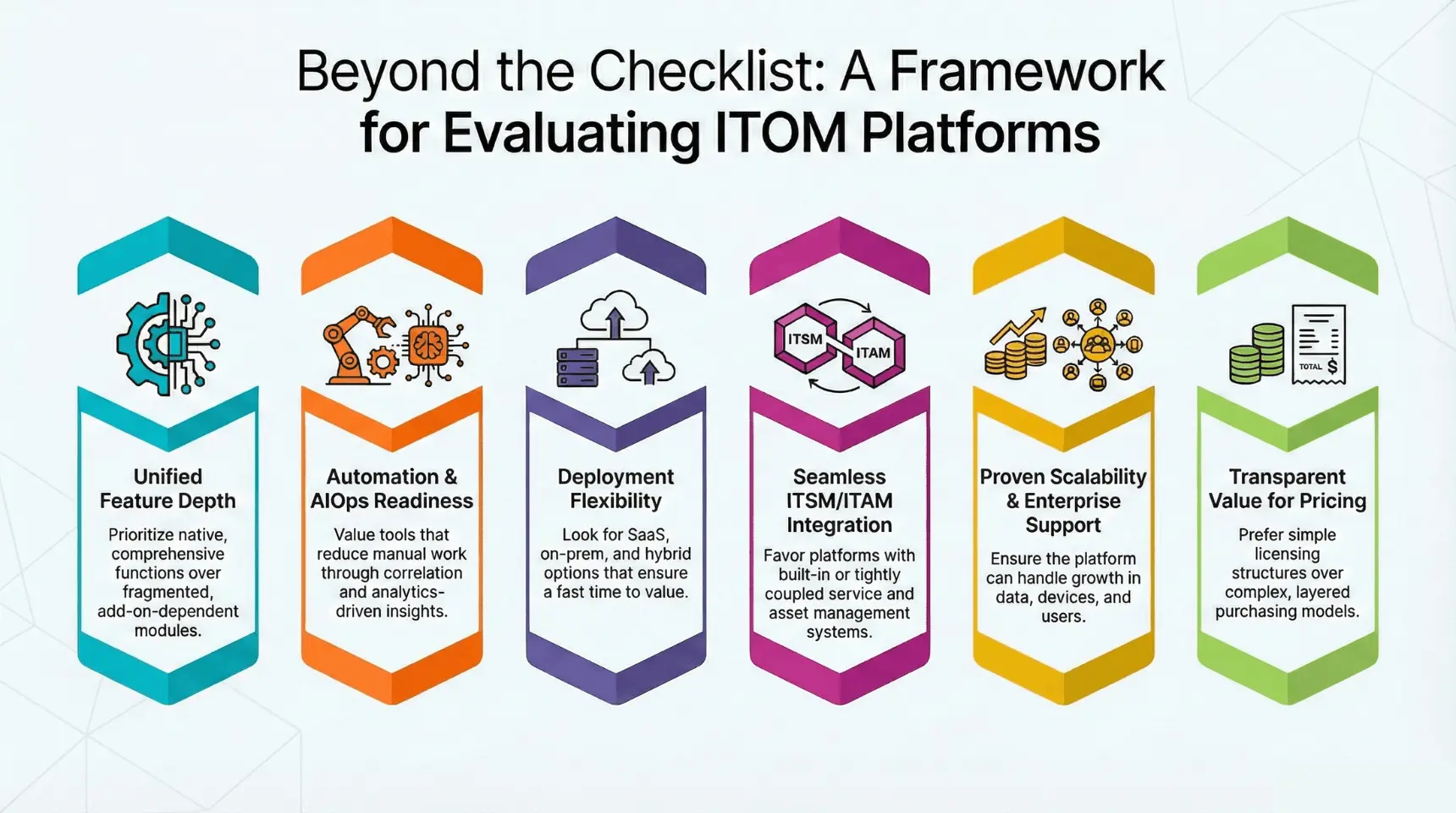
This list reflects how buyers evaluate IT Operations Management tools platforms during real purchase cycles. The criteria focus on operational fit, deployment readiness, and long-term viability rather than feature checklists alone.
Feature depth
We reviewed how well each tool covers core ITOM functions such as monitoring, event handling, correlation, and operational reporting. Platforms with fragmented modules or heavy dependence on add-ons scored lower than those offering native breadth within a unified system.
Automation and AIOps readiness
Automation support mattered more than raw alerting volume. Tools were assessed on their ability to reduce manual effort through correlation, workflow triggers, and analytics-driven insights that support faster diagnosis and response.
Deployment flexibility
Modern IT environments require options. We evaluated SaaS, on-prem, and hybrid availability, along with deployment effort and time to value. Platforms demanding long setup cycles ranked lower than those supporting quicker rollout.
ITSM and ITAM integration
Operational data delivers value when connected to service workflows and asset management. Tools with built-in or tightly aligned ITSM and asset systems scored higher than those relying on loose integrations.
Scalability and support
We considered how platforms handle growth in devices, assets, users, and data volume. Vendor support models, onboarding assistance, and enterprise readiness factored into this score.
Value for pricing
Pricing was evaluated in relation to scope, licensing complexity, and operational coverage. Platforms offering unified capabilities under simpler licensing structures rated higher than tools requiring layered purchases.
Related Blog: What Is IT Operations? A Complete Guide for IT Operations Managers in 2026
The Top 8 IT Operations Management Tools in 2026
1. Infraon Infinity
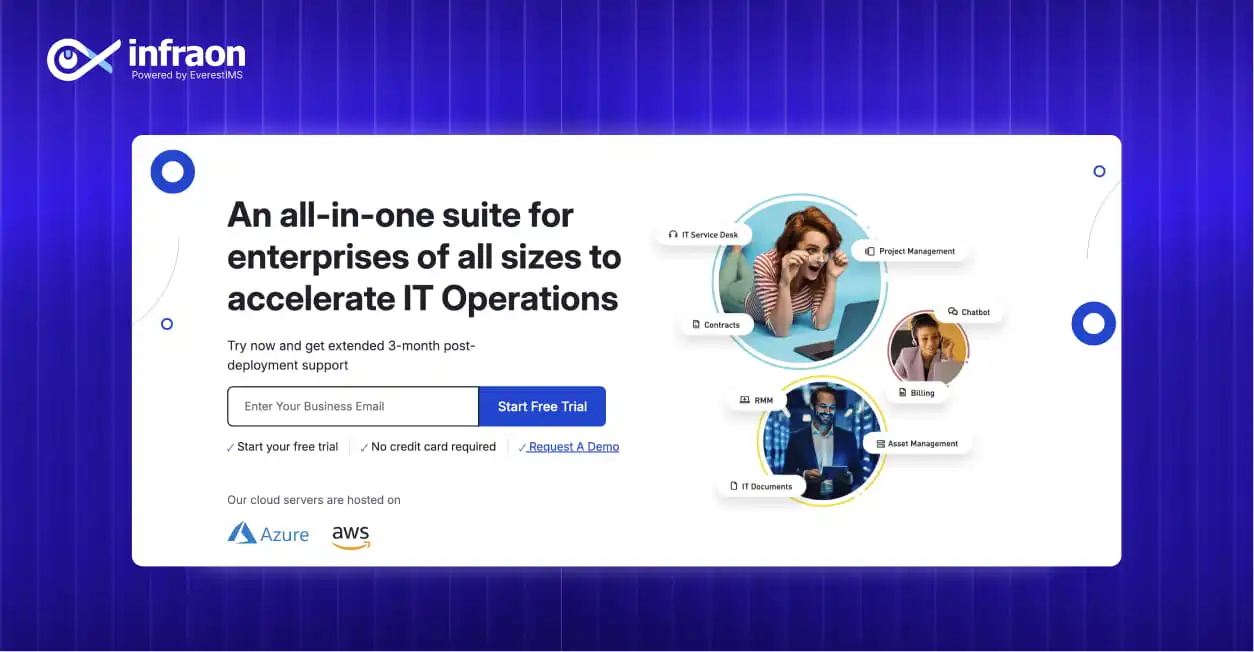
Best for: Unified IT operations for medium and large enterprises
Key Features
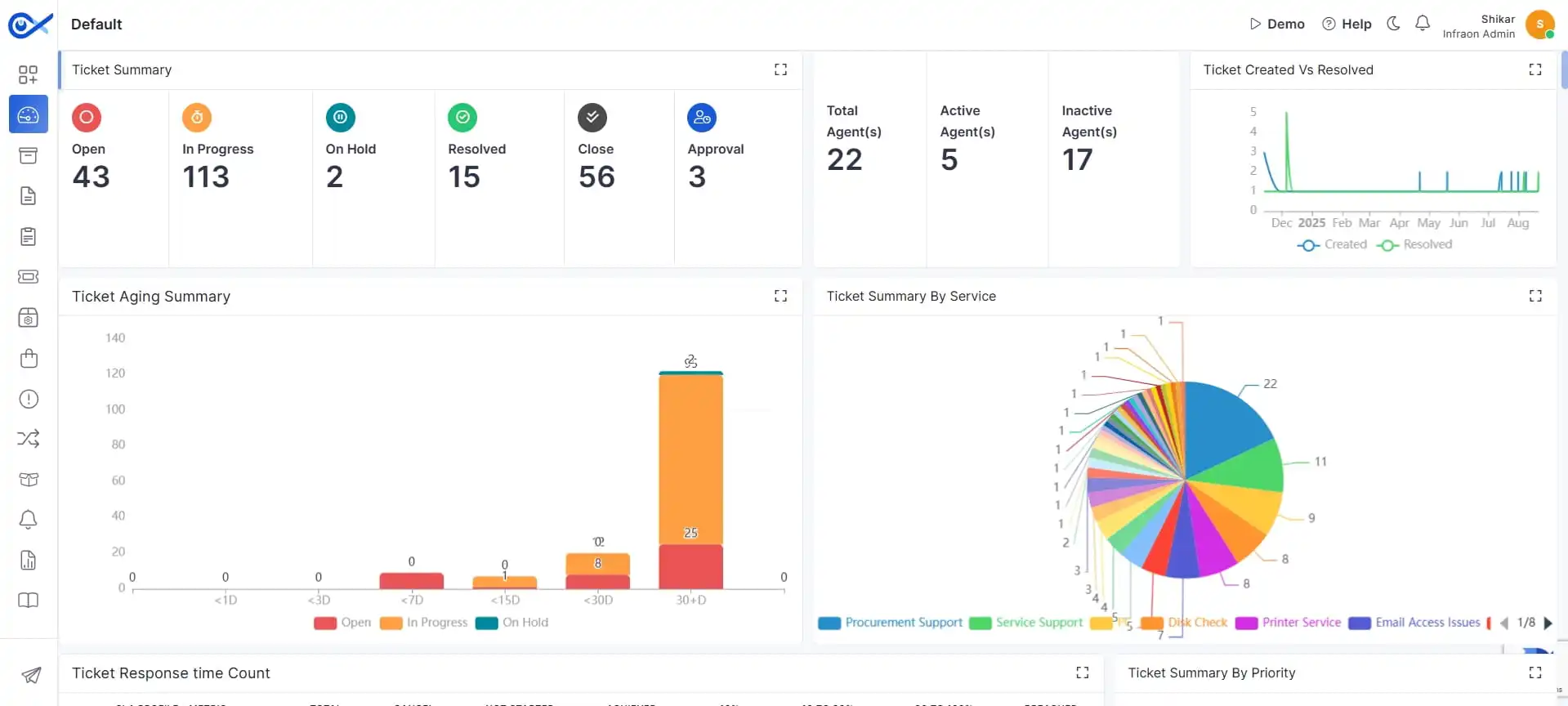
- Unified monitoring for infrastructure, devices, assets, and services within one platform
- Real-time availability and performance monitoring tied to selected assets and services
- Event alerts, notifications, and capacity analysis supported by shared operational data
- Asset auto-discovery with support for IT and non-IT assets inside a single CMDB
- NCCM module for defining, authorizing, and tracking network change and compliance
- Consistent admin UI and reusable workflows spanning ITOM, ITSM, and asset operations
Pros
- Single-platform model reduces dependency on multiple vendors
- Modular structure supports phased rollout based on operational needs
- Shared data model improves correlation between infrastructure, services, and assets
- SaaS and on-prem deployment options across modules
Cons
- Operational depth depends on modules selected during deployment
- Advanced analytics usage requires adoption of multiple platform capabilities
Rating
⭐ 4.8/5
Why Choose Infraon?
Infraon Infinity suits organizations seeking consolidation of monitoring, service workflows, and asset management under one system. Its value lies in reducing operational fragmentation while supporting scale through modular expansion.
2. Micro Focus Operations Bridge
Features
- Event management and correlation for large-scale environments
- Monitoring for hybrid infrastructure and legacy systems
- Analytics-driven incident identification
Pros
- Strong fit for enterprises running complex, mixed environments
- Mature tooling with long enterprise adoption history
Cons
- Configuration effort can be high
- User interface requires training for new teams
Rating
⭐ 4.2/5
3. ManageEngine OpManager
Features
- Network, server, and device monitoring
- Performance dashboards and threshold-based alerts
- Broad support for infrastructure components
Pros
- Accessible pricing for mid-sized organizations
- Wide monitoring coverage out of the box
Cons
- Automation depth remains limited for large-scale operations
- Advanced correlation requires additional tools
Rating
⭐ 4.5/5
4. Symphony Summit AI
Features
- AI-led operations insights and correlation
- Service-focused operational views
- Alignment between operations and service workflows
Pros
- Service-centric operational modeling
- Built-in analytics for incident handling
Cons
- Ecosystem breadth smaller than larger enterprise platforms
- Capability depth varies by module
Rating
⭐ 4.3/5
5. BMC Helix Operations Management
Features
- Cloud-native operations monitoring with analytics-driven insights
- Event correlation tied to service management and impact
- Predictive detection using historical operational data
Pros
- Suitable for large enterprises with complex service portfolios
- Advanced analytics support proactive issue identification
Cons
- Platform setup requires planning and specialist effort
- Licensing models add cost as scope expands
Rating
⭐ 4.6/5
6. Ivanti Neurons for IT Operations
Features
- Endpoint and infrastructure telemetry collection
- Automated remediation workflows for common issues
- Cloud-first deployment with unified operations views
Pros
- Automation-led approach reduces manual intervention
- Tight linkage with endpoint management workflows
Cons
- Infrastructure monitoring depth varies by environment
- Best results achieved when paired with broader Ivanti suite
Rating
⭐ 4.4/5
7. SolarWinds Hybrid Cloud Observability
Features
- Monitoring for networks, servers, and applications
- Visibility into hybrid and cloud-hosted systems
- Diagnostics for performance bottlenecks and outages
Pros
- Long-standing monitoring expertise
- Broad infrastructure visibility from a single console
Cons
- Native service workflow linkage remains limited
- Licensing tiers increase as monitoring scope grows
Rating
⭐ 4.3/5
8. ServiceNow IT Operations Management
Features
- Event management with service mapping
- Correlation tied to service models and workflows
- Integration with service and change workflows
Pros
- Deep platform integration for organizations using ServiceNow
- Strong service visibility tied to operational data
Cons
- Platform adoption demands process maturity
- Cost rises with full platform usage
Rating
⭐ 4.7/5
How to Choose the Right IT Operations Management Software
Selecting an ITOM platform requires clarity on operational priorities, growth plans, and existing systems. The points below help narrow options based on real operational needs rather than feature volume.
Alignment with ITIL practices
An ITOM platform should support incident, problem, and change workflows that map cleanly to ITIL practices. This alignment improves coordination between operations and service teams and reduces friction during escalations.
Automation readiness
Look for platforms that support workflow automation, event correlation, and analytics-led decision support. Automation reduces manual effort during detection, diagnosis, and resolution while supporting consistent response patterns.
Multi-cloud and hybrid compatibility
Infrastructure spans private data centers, public clouds, and edge locations. ITOM tools must support monitoring and visibility for mixed environments while maintaining a unified operational view.
Workflow flexibility
Operations teams vary in structure and responsibility. Platforms that support configurable workflows and reusable templates adapt better to real operating models than rigid, one-size systems.
Integration maturity
Operational data gains value when connected to service workflows, asset management, and configuration records. Strong integration with ITSM, ITAM, and CMDB systems improves prioritization and impact assessment.
Why Unified ITOM Platforms Are the Future
Operations teams deal with monitoring data, service workflows, asset records, and change activity that originate from separate systems. When these systems operate independently, teams spend time reconciling signals instead of resolving issues. Unified ITOM platforms address this within one operational framework.
A unified platform improves correlation between infrastructure signals and service impact. Events link directly to affected services, related assets, and ongoing changes. This linkage shortens investigation cycles and reduces back-and-forth between teams responsible for different tools.
Consolidation also simplifies platform ownership. Fewer tools mean fewer integrations to maintain, fewer data gaps, and clearer accountability. For leadership teams, unified platforms support consistent reporting and a shared operational view that aligns infrastructure performance with service outcomes.
As environments scale in volume and complexity, unified ITOM platforms support growth by keeping operational data, workflows, and insights connected inside a single system rather than scattered across multiple products.
Case Study: How Enterprises Accelerated Operations with Unified ITOM
Abu Dhabi Sustainable Water Solutions Company (ADSWS) operates critical wastewater collection and treatment services for residential and commercial zones across the Emirate of Abu Dhabi. As service scope expanded, the organization required tighter control over service quality, response timelines, and internal accountability.
Operational challenges
Before the platform rollout, ADSWS faced multiple operational constraints. Automation coverage remained limited, workflows grew complex, and collaboration relied on manual coordination. Teams lacked real-time visibility into service performance, while reporting offered limited insight for service improvement. Dependence on external providers also reduced internal knowledge continuity and increased overhead.
Platform deployment
ADSWS deployed Infraon Infinity as an on-premises platform integrating NMS, ITSM, and NCCM capabilities. The implementation focused on building clear service-level agreements, defining escalation paths, and setting up proactive alerts tied to operational thresholds. Analytics and reporting modules supported ongoing service performance review and improvement cycles.
Infraon Infinity helped aligned service workflows with ISO/IEC 20000 requirements, supporting service level management, incident handling, problem management, and change governance. Escalation and resolution processes were formalized to manage SLA risks before breaches occurred.
Outcomes achieved
Post-deployment, ADSWS reduced dependence on outsourced service providers and lowered administrative overhead tied to vendor management. Internal teams gained better workload visibility and improved collaboration during incident handling. Knowledge retention improved as service ownership moved in-house, supporting faster decisions and service adaptation.
Operational flexibility improved thanks to Infraon Infinity, as services scaled based on demand, while customer experience benefited from quicker response and more consistent service delivery.
Final Thoughts — Which ITOM Tool Should You Choose in 2026?
Choosing an IT Operations Management tools platform depends on operational scale, internal maturity, and how tightly monitoring must connect with service workflows and assets.
- For large enterprises with complex service portfolios: Platforms that combine service mapping, event correlation, and workflow linkage suit environments where service impact visibility drives decisions.
- For mid-sized organizations prioritizing faster rollout: Tools with broad monitoring coverage and simpler deployment models reduce time to operational readiness.
- For teams focused on consolidation: Unified platforms that combine ITOM, ITSM, and asset management help reduce tool sprawl and operational handoffs.
- For automation-first operations: Platforms offering native correlation, workflow triggers, and analytics-driven insights reduce manual intervention during incidents.
Shortlisting works best when buyers map platform scope to real operating needs rather than feature volume. Coverage depth, workflow alignment, and deployment fit usually matter more than brand presence.
FAQs
What is an ITOM tool?
An IT Operations Management tools supports monitoring, event handling, and operational workflows tied to infrastructure, applications, and services. These tools help teams detect issues, understand impact, and manage resolution activities.
How is ITOM different from ITSM?
ITOM focuses on infrastructure health, events, and performance signals. ITSM focuses on service workflows such as incidents, requests, and changes. Many platforms connect both to link technical signals with service outcomes.
Which tool is best for enterprise IT operations?
Enterprises typically benefit from platforms that support service management, correlation, automation, and scale. The best fit depends on environment complexity, internal processes, and integration needs.
What features should modern ITOM software include?
Core features include real-time monitoring, event correlation, service impact visibility, automation support, assets, and reporting aligned to operational leadership.
Does ITOM help reduce downtime?
Yes. By improving visibility, correlation, and response workflows, ITOM platforms help teams detect issues earlier and resolve them faster, which supports higher service availability.