


What is a CMDB? Complete Guide for IT Teams
A Configuration Management Database (CMDB) is a central system that keeps track of all the IT assets and components - known as Configuration Items (CIs) - within an organisation, along with how they relate to one another. By mapping the connections between infrastructure, applications, services, and users, a CMDB helps IT teams see the ripple effects of any change or outage before they happen.
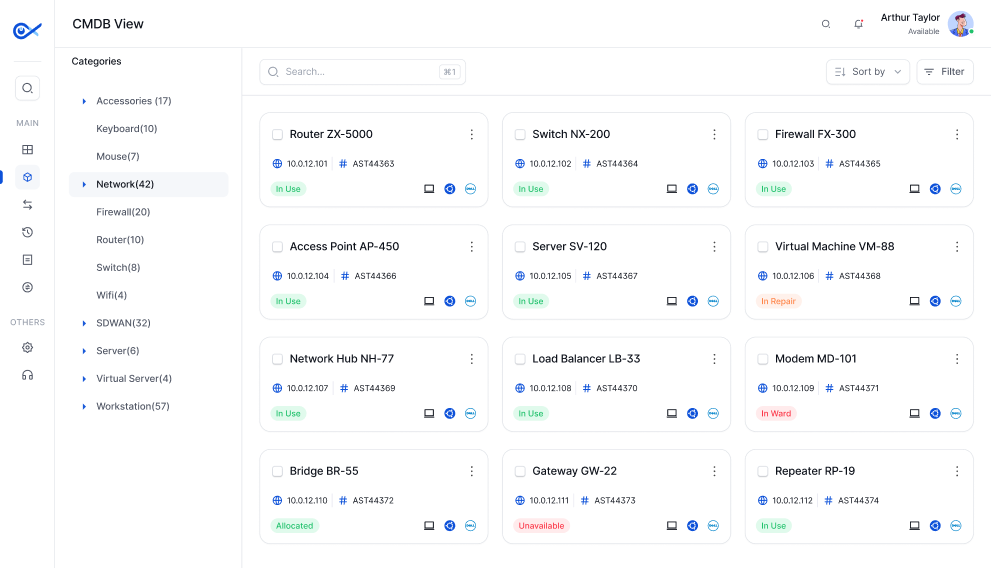
What is a CMDB?
A Configuration Management Database (CMDB) is a centralised repository that stores information about all IT components - called Configuration Items (CIs) - and the relationships between them. A CMDB maps how infrastructure, applications, services, and people are connected, enabling IT teams to understand the impact of any change or failure.
- Configuration Management Database - Complete GuideUnlike a simple asset inventory, a CMDB captures not just what assets exist but how they relate to each other - which server runs which application, which application supports which business service, and which users depend on which infrastructure. This relationship mapping is what makes a CMDB indispensable for change management, incident resolution, and root cause analysis.
CMDB vs IT Asset Register - Key Differences
A CMDB and an IT Asset Register (ITAR) are complementary tools that serve different purposes. While both track IT assets, they differ in scope, focus, and the type of information they store. Understanding these differences helps organisations leverage both systems effectively.
| Dimension | Asset Register | CMDB |
|---|---|---|
| Purpose | Financial and lifecycle tracking | Relationship and dependency mapping |
| Scope | Cost, ownership, warranty, lifecycle | Configuration, dependencies, relationships |
| Primary user | IT asset managers, finance, procurement | IT ops, change management, service desk |
| Relationship | Minimal | Full configuration change history |
Key Uses of a CMDB
A CMDB is a foundational tool for IT service management (ITSM) and IT operations. It enables organisations to manage change, resolve incidents faster, and maintain compliance by providing a clear view of the IT environment and its dependencies.
Change impact analysis
Before approving a change, understand which services and users will be affected
Incident root cause analysis
Trace a service outage back to the failing CI and all dependent components
Service dependency mapping
Visualise how applications, servers, and network components support each business service
Compliance and auditing
Maintain a verified record of all infrastructure configurations for audit purposes
Capacity planning
Understand current CI relationships to model the impact of growth or consolidation